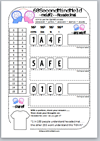
Here is the 3rd in a series of Computer Science posters. The aim is that over the coming weeks and months the collection will grow so that there is a poster to cover all elements of the OCR GCSE Computing syllabus.
If you end up using this poster in your school, I’d love to hear about it or see a photo.
An Introduction to the CPU - as a Literacy and Drawing Activity!
Here's an interesting introduction to the Central Processing Unit (CPU). The activity started as an attempt to promote literacy in ICT through a targeted DART (Directed Activity Related to Text) activity. It does just that through the use of skimming, scanning and gap fill strategies. Whilst working on this, however, I was listening to the @teknoteacher and @vikkiville podcast in which they talked about Draw Your Learning activities. This inspired me to develop the idea further and Win, Lose or Draw was the result. Take a look and let me know what you think.
Here's a great way to get started on filling your classroom with informative and impressive poster displays. It takes just a few minutes work and most of it can be done by the reprographics department. Here's what to do:
1. Download the first two in my series of posters designed for the OCR GCSE Computer Science syllabus. Other posters in the series will follow in the coming weeks and months, so keep checking back.
2. Set up an A0-sized page in Publisher and print. I print it straight to the colour photocopier in resources where it comes out on 4 x A3 pages. These are then laminated.
3. Trim a few of the inside edges with scissors and then sellotape together.
During my work as a Head of ICT and Business Studies at Esher High School over the past year or so, the importance of two things has become increasingly clear to me:
1. Students enjoy homework!
Maybe I should rephrase this and state that students enjoy the right kind of homework. They enjoy homework that they see as having value, and for which they are accountable. Homework is an essential element of the teaching and learning process.
2. Students can be sociable!
Yes, we know that given the opportunity, students will socialise rather than work in lessons—it’s not cool to do otherwise. That stated, given the right environment, they really enjoy working in a collaborative and practical way in lessons, much more than they enjoy being lectured to by their teacher.
I am acutely aware of these two points today, just as I was a decade or more go. So what has changed? Well, quite simply, I began reading about the Flipped Classroom model of teaching. You know, the one where the students watch videos at home and then the teachers sit back and watch the students in class? This is the negative view of the model, of course. However, I am not writing this post in support of the Flipped Classroom model, but as a description of how it led progressively to the development of what I am now calling the CLAWS Teaching and Learning model.
CLAWS is an acronym, short for: Consider Listen Answer Watch Share
The CLAWS process is a linear one and is described in the table below:
C
L
A
W
S
Consider >
Listen >
Answer >
Watch >
Share >
Students are set a homework which they consider, as directed by the teacher
Students return to class and listen to a short podcast on the subject
Working individually, students answer worksheet questions
Students watch a video version of the podcast they listened to earlier
Students share their answers and discuss the issue raised in the worksheet
Example:
At home, students research the topic of binary using books, websites, VLE quizzes, YouTube links etc
Example:
In class, students listen to the 60 second AudioBoo Podcast on binary (link below)
Example:
Class answers the questions on the binary worksheet (link below)
Example:
Class watches the 1 minute video on binary (see link below)
Example:
Discussion followed by Q+A session (see worksheet)
With the CLAWS process in mind I have developed a set of resources on the topic of Binary. The location of these resources is detailed at the foot of this post. I have tried to ensure that:
1. Students enjoy homework!
The homework that is set is seen as having value, and students are accountable for it. They quickly learn that will not do very well in the Answer component if they fail to do their homework.
2. Students can are sociable!
As most of the more theoretical aspects of the syllabus are covered with the CLAWS Teaching and Learning method, this leaves more time for practical activities in class. In my subject, Computer Science, we can do more programming. And that’s the bit we enjoy most!